Physical Address
India

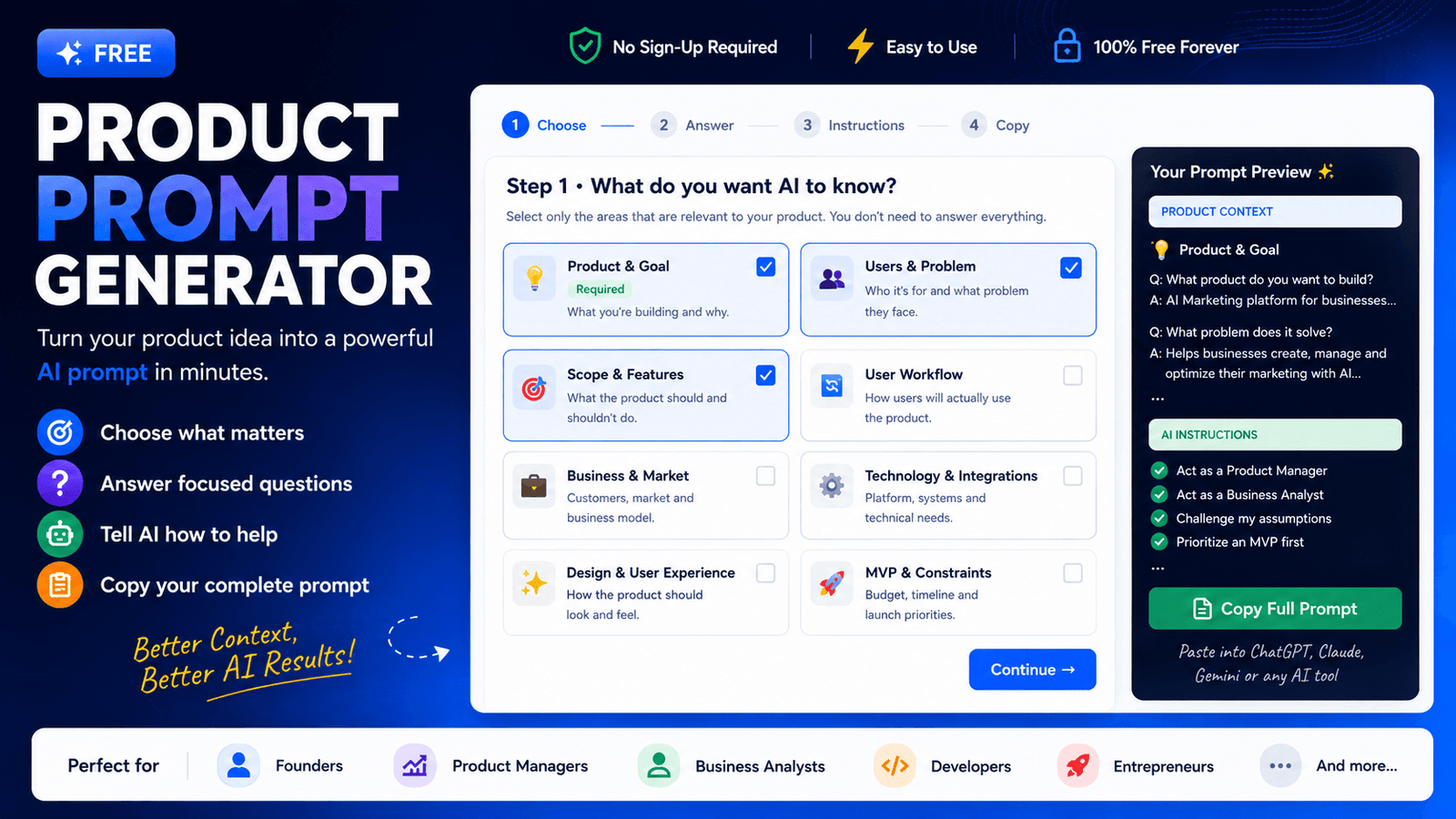
Turn your product idea into a detailed, AI-ready prompt — without having to figure out what questions to ask.
It’s the information behind it.
If you tell an AI:
AI has very little context about what you actually want.
This tool helps you collect that information and turn it into one structured prompt you can use with your preferred AI.
No prompt-engineering expertise required.
Select the product areas that are relevant to your idea.
Choose the questions you want to answer and add your information.
Choose how you want AI to think about and analyze your product.
Get your complete prompt and paste it into your AI tool.
Don't know what information to give AI about your product idea? Select what matters, answer a few focused questions, choose how AI should help, and copy your complete prompt.
Select only the areas that are relevant to your product. You don't need to answer everything.
We've kept the questions focused. Select only the questions you want to include in your prompt.
Answer in your own words. Short answers are completely fine.
Select the roles and behaviors you want AI to follow. The detailed instructions will automatically be added to your prompt.
Your selected questions, answers, and detailed AI instructions have been combined into one complete prompt.
Your copied prompt contains:
Your generated prompt brings together the information you selected, your answers, and the AI instructions you chose.
The information you provided about your product, users, problems, goals, features, market, or constraints.
Only the questions you chose to answer are included. You don’t need to define everything.
The detailed instructions behind the AI behaviors you selected are added to your final prompt.
The prompt tells AI to understand your idea, identify gaps, and help you move forward.
AI can respond to a simple request. But a well-defined context gives it much more to work with.
“Build me a CRM.”
The AI has to make many assumptions about the users, problem, workflow, features, business model, and scope.
Explain the product, users, problem, goals, scope, constraints and desired AI behavior.
AI has more context to understand the idea, identify gaps, challenge assumptions, and provide more relevant guidance.
Your generated prompt can include detailed instructions based on the way you want AI to help.
Don’t expect AI to build the perfect product in one response. Use the generated prompt as the starting point for a conversation.
A few quick answers before you start building.
No. Select only the questions that are relevant to your product. You can skip questions when you don’t have an answer yet.
That’s completely fine. You can indicate that you don’t know yet. Your AI conversation can help you discover what you haven’t decided.
Yes. The generated prompt is plain text and can be pasted into ChatGPT, Claude, Gemini, or another AI assistant.
No. The purpose of this tool is to help you provide useful product context without requiring advanced prompt-engineering knowledge.
Yes. This product prompt generator is provided as a free resource.
You can use the generator again with a different combination of sections, questions and AI instructions.
